
How to Build a Mobile Website

Share on TwitterSubmit to StumbleUpon

Gartner predicts that by 2013, the #1 way consumers will access the internet is via their mobile devices, so if you haven’t created your mobile website yet, there’s no better time to do that than the present.

Given that, I wanted to share some key tips on how to build a mobile website. The good news is that if you’re a HubSpot customer, they build your mobile site for you. Yup, that’s one of the many advantages of using the HubSpot’s platform. (Disclosure: I work with HubSpot in a variety of capacities.)

If you’re not a HubSpot customer, then here are some tips you should keep in mind as you build and create your mobile website.

How to Build a Mobile Website:

When building a mobile website, it's important to simplify the navigation and make it thumb-friendly (for people like me who suffer from fat finger syndrome)

  1. Add Browser Re-direct Code to Your Site: Ask your web designer to install a browser re-direct feature onto your website. That’s a line of code that “sniffs” out whether your visitor is coming from a large regular browser or a smaller mobile browser. In many cases, your visitors will be coming from a regular PC, but in some cases, they’ll be coming from a smart phone. With a browser re-direct feature, your website will be able to re-direct mobile users to the pages on your website that were set up to be viewed in a mobile browser. (I’ve included the line of code I use for my browser re-direct below.)
  2. Redesign Key Pages: In most cases, you’ll want your mobile website to be a smaller version of your regular website. After all, visitors are typically looking for a few key pieces of information — directions to your store, information about your services, special offers, etc. In our case, we set up the 60 Second Marketer iPhone website with 6 key pages — Videos, Blog, Go Mobile Book, Social Media Glossary, Go Mobile Website and Speaking.
  3. Install Mobile Plugins for Your Blog: I use WordPress for my blogging platform. It’s a wonderful platform and very easy to use. They have a plugin called WPTouch that reformats the blog so that it’s mobile friendly. It’s a terrific Plugin and very easy to install.
  4. Follow Google’s Best Practices: Google has provided a list of their best practices for mobile marketing on HowToGoMo.com. Here they are in a nutshell: 1) Keep it Quick, 2) Simplify Navigation, 3) Be Thumb-Friendly, 4) Design for Visibility, 5) Make it Accessible, 6) Make it Easy to Convert, 7) Make it Local, 8) Make it Seamless, 9) Use Mobile Site Re-Directs, 10) Listen, Learn and Iterate (i.e., Execute).

If you’d like to take a look at two mobile sites I’ve designed and created, grab your smart phone, open your browser and visit 60SecondMarketer.com and GoMobileBook.com. They’ll give you a sense of how to keep things simple, yet functional.

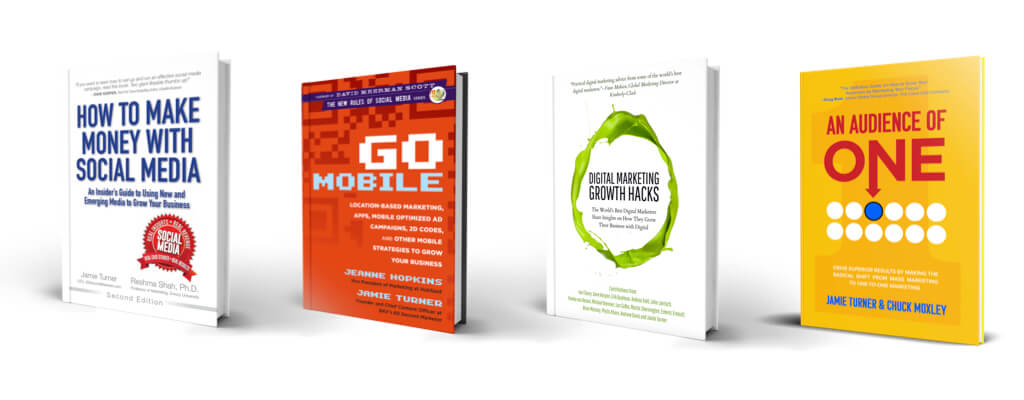
All of this is covered in Go Mobile, so if you’d like an in-depth understanding of this and other mobile marketing topics, stop by your favorite bookseller and grab a copy.

P.S. Tim made a comment below that was so good, I wanted to add them onto the post. Here’s what Tim wrote. I support it fully: I’d add two practical things. 1. if you can’t read a page in the time it takes a barista to fix your latte, rewrite it. 2. If it takes the page more than a breath to load, simplify it. More so than on a desktop, users will try the next brand if you’re slow.

P.P.S. The line of code I use for my browser re-direct is found below. It’s installed before the </head>

<script type=”text/javascript”>
<!–
if (screen.width <= 599) {
document.location = “http://YourMobileWebsiteURL.com/”;
}
//–>
</script>

(Don’t forget to replace “http://YourMobileWebsiteURL.com” with your own URL)

Posted by Jamie Turner, Founder of the 60 Second Marketer and co-author of “How to Make Money with Social Media” and “Go Mobile.He is also a popular marketing speaker at events, trade shows and corporations around the globe.

Print Friendly
  • Tim

    I’d add two practical things. 1. if you can’t read a page in the time it takes a barista to fix your latte, rewrite it. 2. If it takes the page more than a breath to load, simplify it. More so than on a desktop, users will try the next brand if you’re slow.

  • http://twitter.com/olofcharles Olof Rosel

    This article really touched the basics of building a mobile website. For me whose knowledge on web programming is quite limited, I can create mobile websites in a matter of minutes if not hours (depending on the client’s needs). I can do this through the use of a mobile website builder (www.brickandmobile.com). Using this type of service would generally allow you to build a mobile website in a short amount of time. What’s more is that they’ll be providing you the necessary knowledge on how to use their system to build websites and customize it. Cost efficient and at the same time very effective investment. 

  • http://www.facebook.com/Privateclass.Tuition Tutor Bryan

    May I recommend to use a mobile site builder for the benefit of non-technical personnel?

    Try this -> http://www.morces.com

  • Pingback: Four Mobile Marketing Mistakes You Can Easily Avoid | 60 Second Marketer | @AskJamieTurner

  • Pingback: 10 Essential Tips You Can Use to Convert More of Your Visitors into Customers | 60 Second Marketer | @AskJamieTurner


The 60 Second Marketer is a free online magazine brought to you by BKV Interactive and Direct Response. We try to provide quick updates on the newest tools, tips and techniques in marketing. We also try to accomplish that with a dose of humor or levity. As it turns out, we're pretty good at providing tools, tips and techniques, but we're not actually all that funny. Which would explain why people don't call us "funny" as much as they call us "laughable." Bummer. Our offices, for those of you who are interested, are located in Atlanta (404-233-0332) and Kansas City (913-648-8333). We also have offices on Bora Bora, but they don't have the phones installed yet.

© 60 Second Marketer, a division of BKV, Inc.